

Both are judged on the same number: accepted invites for an invite step, and replies for any other step. As the step says: “You see how each version does. We pick a winner only for AI versions, never for your own text.”
Test your own text
1
Pause if it's running
Steps can’t change while a campaign runs. Click Pause & edit.
2
Open More options on the step
The step has to use Write it myself.
3
Add a version
Under Versions, click Add version and write it. You can have up to five.
4
Resume or launch
Each person gets one version, picked at random.
Test AI instructions
1
Pause the campaign and open the Canvas
On a campaign that has launched, the Canvas opens only while it is paused.
2
Turn on the test
On a message step that uses AI, turn on A/B test (AI prompt variants).
3
Write the instructions
Under Variant prompts, write one per version, such as “Lead with their hiring signal”. Under Variant strategy, choose Random or Round-robin.
How a winner is picked
We check AI tests once a day. Counts are across all versions of the step.
When a version wins, it goes to everyone new. People who already have a version keep it. If you change the instructions after a win, the win is cleared, because the old numbers belong to the old text, and the test can pick again.
Read the results
Under So far, each version shows its sent, replied and accepted counts.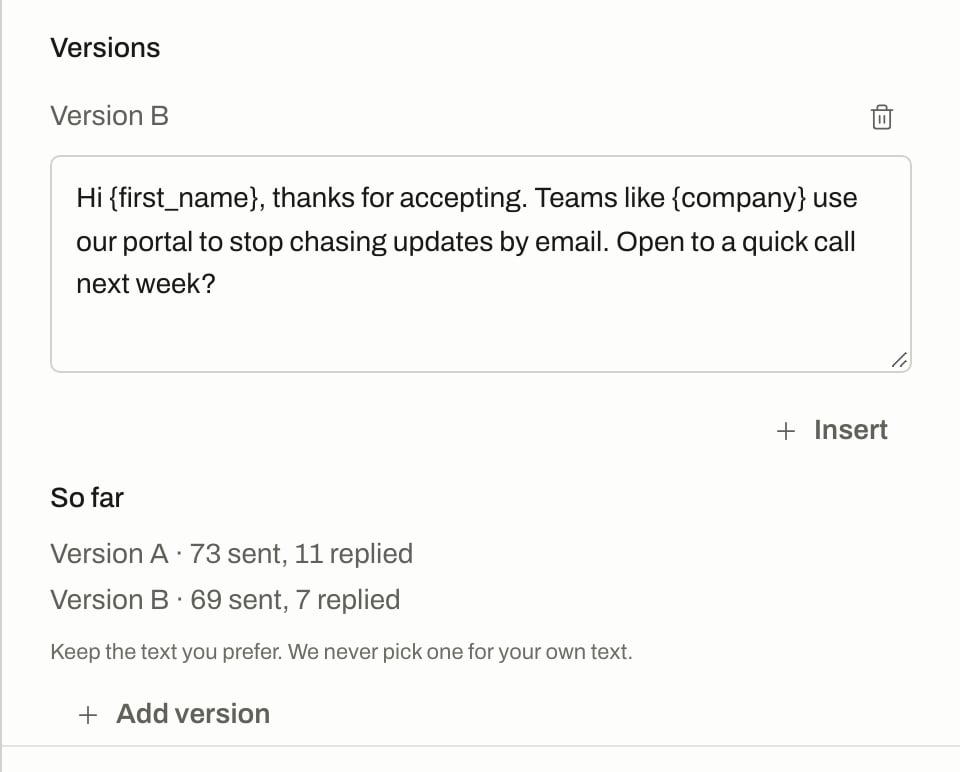
Versions of your own text on a message step, with So far.
Differences on small numbers can be chance. Wait for the counts before you change anything.
Related
Steps and messages
AI text, your own text and step options.
Safety pauses
What happens when few people accept.
Reports
Results across campaigns.