

What each row means
Rows appear in this order. Open a row to work on it right there.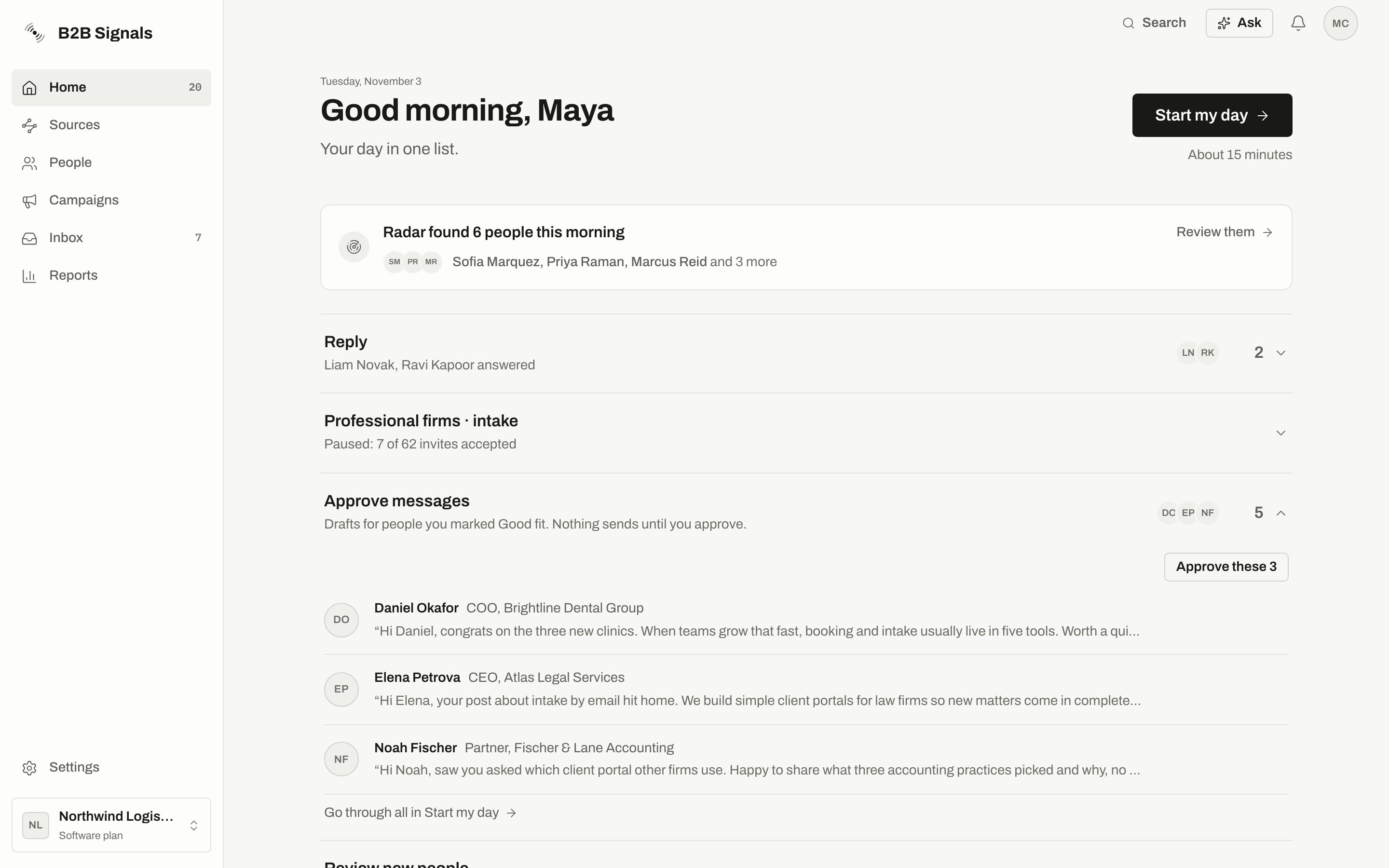
Home with Approve messages open. Nothing sends until you approve.
Below the rows you may also see:
- Invites waiting for your answer. A link to Manual sends.
- More paused senders. Home shows the first 3. “N more senders paused for few accepted invites” opens Settings › Senders.
- More paused campaigns. Home shows the first 3. A link to Campaigns covers the rest.
- Running quietly. How many campaigns are sending and whether they are healthy, with Open Reports. It appears from the fourth day of your workspace.
- Radar found people. If Radar found people today, Review them opens them in People.
Who counts as Worth a message
A person appears for one of two reasons.
People on your do-not-contact list, people from your own team, and people you snoozed never appear. Hide · not worth it removes someone from this row until something new happens about them. Nothing else about them changes.
If someone in this row isn’t in People yet, for example a person you only watch, writing to them adds them and uses 1 lead credit. The row tells you before you write. See Lead credit.
Whose tasks you see
You see open tasks due today or earlier that are:- assigned to you,
- unassigned and made by you, or
- with no assignee and no creator, such as tasks made automatically from a reply.
What the badge counts
The number next to Home in the sidebar adds up what’s waiting for you.
Fix first problems and the Radar line are not counted. The badge can be up to a minute behind your latest actions.
Start my day
Start my day takes you through your day one card at a time, so you don’t have to open each row. The button shows an estimate, such as “About 15 minutes”. The button appears when you have replies, drafts, new people, Worth a message people or tasks waiting. Manual steps, paused senders and paused campaigns don’t bring it up, and they aren’t in the cards. Handle those from their rows on Home.1
Press Start my day
Cards come in this order: Reply, Approve messages, Review new people, Worth a message, Tasks due today. The list is read once when you open it.
2
Act on the card, or move on
Moving on deletes nothing and sends nothing. Every action has an Undo, with one exception below.
3
Finish
The last card says Done for today and tells you how many items are still waiting. Those stay on Home. Press Back to Home, or press Esc at any time.
Approved messages go out during their working hours, not at the moment you approve. If the campaign is paused, the card tells you the message goes out after you resume it.
Keyboard shortcuts
Press? during Start my day to see them. There you can also turn on Show keys on buttons.
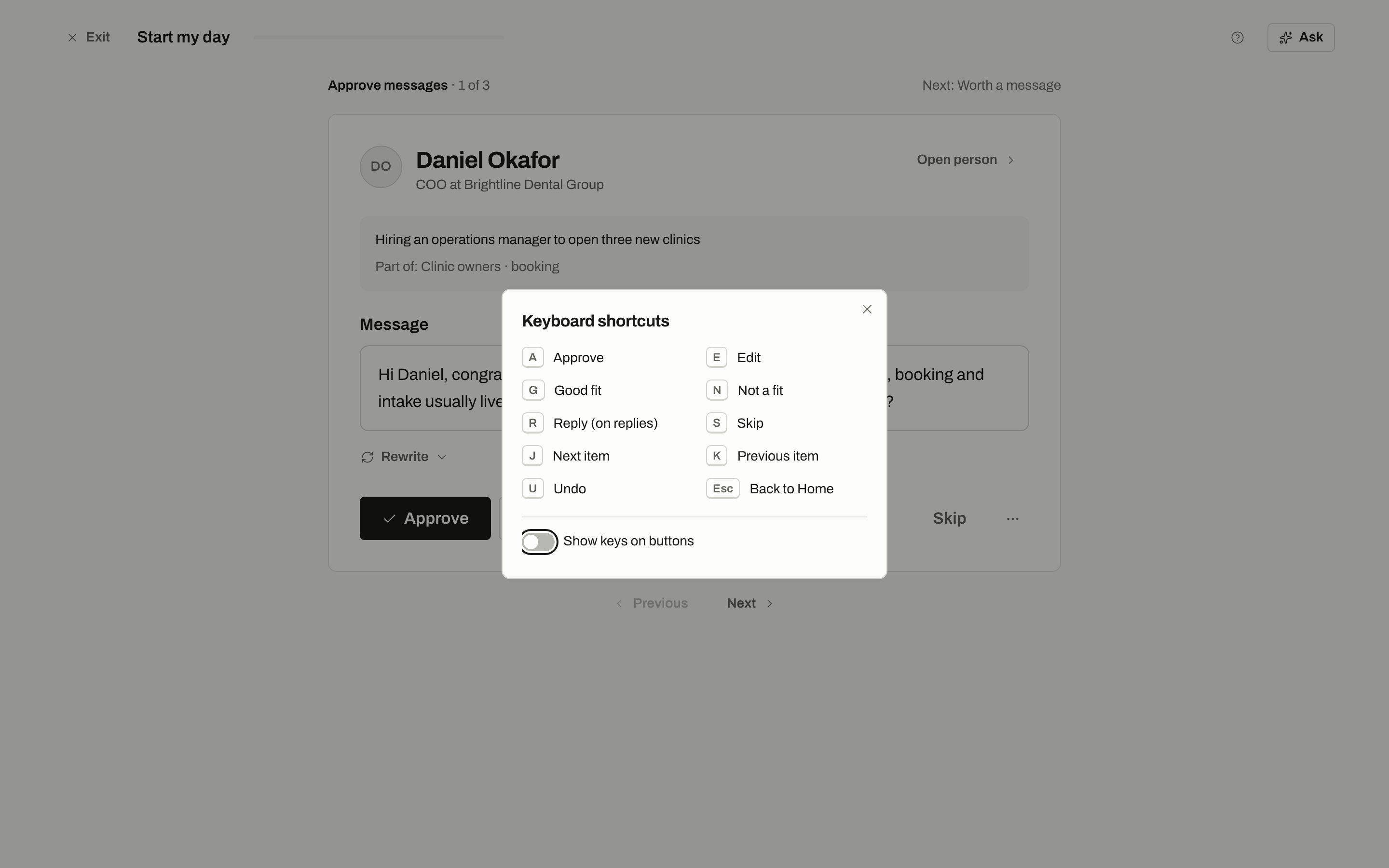
Start my day on an Approve card, with the shortcuts open.
Approve from Home
Open Approve messages to see the first 3 drafts. You can Approve or Edit each one, or use Approve all. Approve all covers only the drafts on your screen. Some drafts are always left out and named under the button, so you can check them yourself:- backup text, written because the AI was unavailable,
- a draft for someone whose name couldn’t be read,
- a draft where the name was added after the text was written,
- a draft over a limit.
Send these yourself
These are steps B2B Signals can’t or won’t do for you. Nothing in this row sends anything. You copy the message, press Open LinkedIn, send it there, then come back and mark it done. See Manual sends.Paused campaigns
A campaign pauses when too few people accept its invites. By default that’s below 15% of invites accepted, once at least 50 have gone out. The check runs once a day and applies to each campaign separately. The row shows the real numbers and why it stopped: when most people ignore invites, LinkedIn can limit the sender’s account. Pausing lowers that risk. It doesn’t remove it. The numbers say which invites were counted, for example “9 of 99 invites sent 3 to 14 days ago were accepted (9%), under the 15% limit”. If someone pressed Resume in that time, they read “sent since the last resume” instead.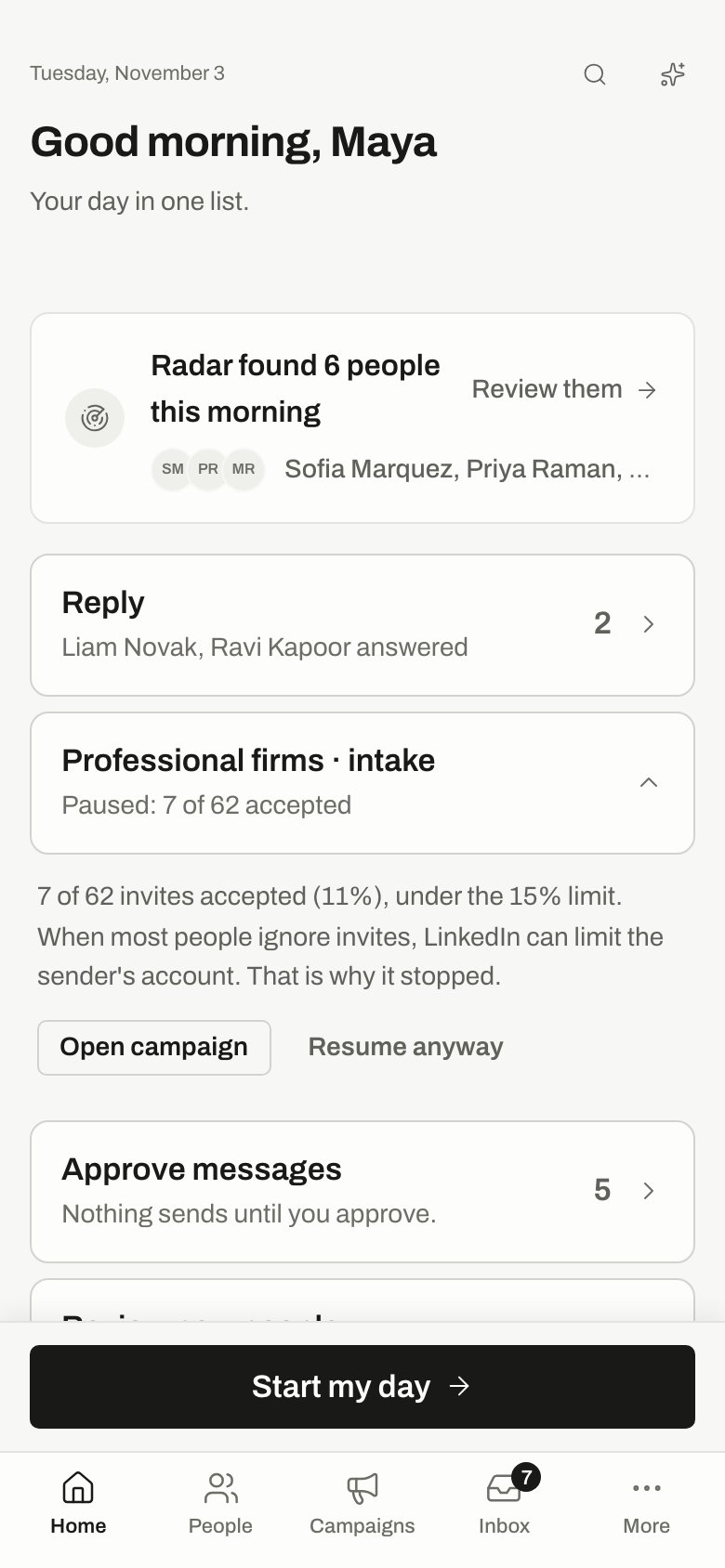
A paused campaign row, opened on a phone.
Only owners and admins see Resume anyway. Everyone else sees “An owner or an admin can resume it.”
Resume anyway asks you to confirm, then offers Undo, which pauses the campaign again with the check back on. Later, you can turn the check back on from the campaign.
To keep the check on and start its count over, open the campaign and press Resume there. The row says so under the buttons. See Safety pauses.
Paused senders
A LinkedIn sender pauses when fewer than 15% of its invites from the last 14 days were accepted, once at least 20 have gone out. While it’s paused, nothing sends from it, and the campaigns that use it wait. The row shows the sender’s name and the numbers, for example “6 of 54 invites sent in the 14 days before it paused were accepted (11%), under the 15% limit”.
Only owners and admins see Resume sender. Everyone else sees “An owner or an admin can resume it.”
Resuming doesn’t change the numbers. The sender is checked again every night, so it stops again if the rate stays under 15%. See Safety pauses.
Fix first
When something blocks your work, a Fix first banner sits at the top. You see one at a time, and “N more to fix after this” tells you if there are others.When Home looks different
All caught up
All caught up
You have nothing left to do. The card says when Radar looks for people next. If people are ready but not in a campaign, press Add them to a campaign.
Nothing to do yet
Nothing to do yet
Your workspace has nobody in it yet. Press Add people to start.
Fewer new people today
Fewer new people today
Radar finished a scheduled search today and found less than half of its target. Nothing is broken. The card shows the last 7 days and may suggest a change to your brief. Apply makes the change and offers Undo. Not now leaves your brief as it is. Ask about Radar opens Ask.
On the Free plan
On the Free plan
Replies always work. Radar looks once a week and sending is paused. A stopped campaign continues from where each person was after you upgrade, and nobody gets a message twice. See Plans.
Sending is paused: your last payment didn't go through
Sending is paused: your last payment didn't go through
This shows only on a paid plan whose payment failed. Nothing is lost. Press Update your card to send again. A canceled plan doesn’t show it. See Billing.
No replies yet
No replies yet
Replies usually start a few days after the first messages go out.
Related
Inbox
Answer the people in your Reply row.
Approvals
See every draft waiting for your yes.
Review people
Decide who fits.
Safety pauses
Why campaigns and senders pause.