

Read the day
Use the arrows to change day. The top says how many are due, and each sender shows how much of today’s allowance is used, counting invites, messages and InMails. “full today” means that sender has reached its limit.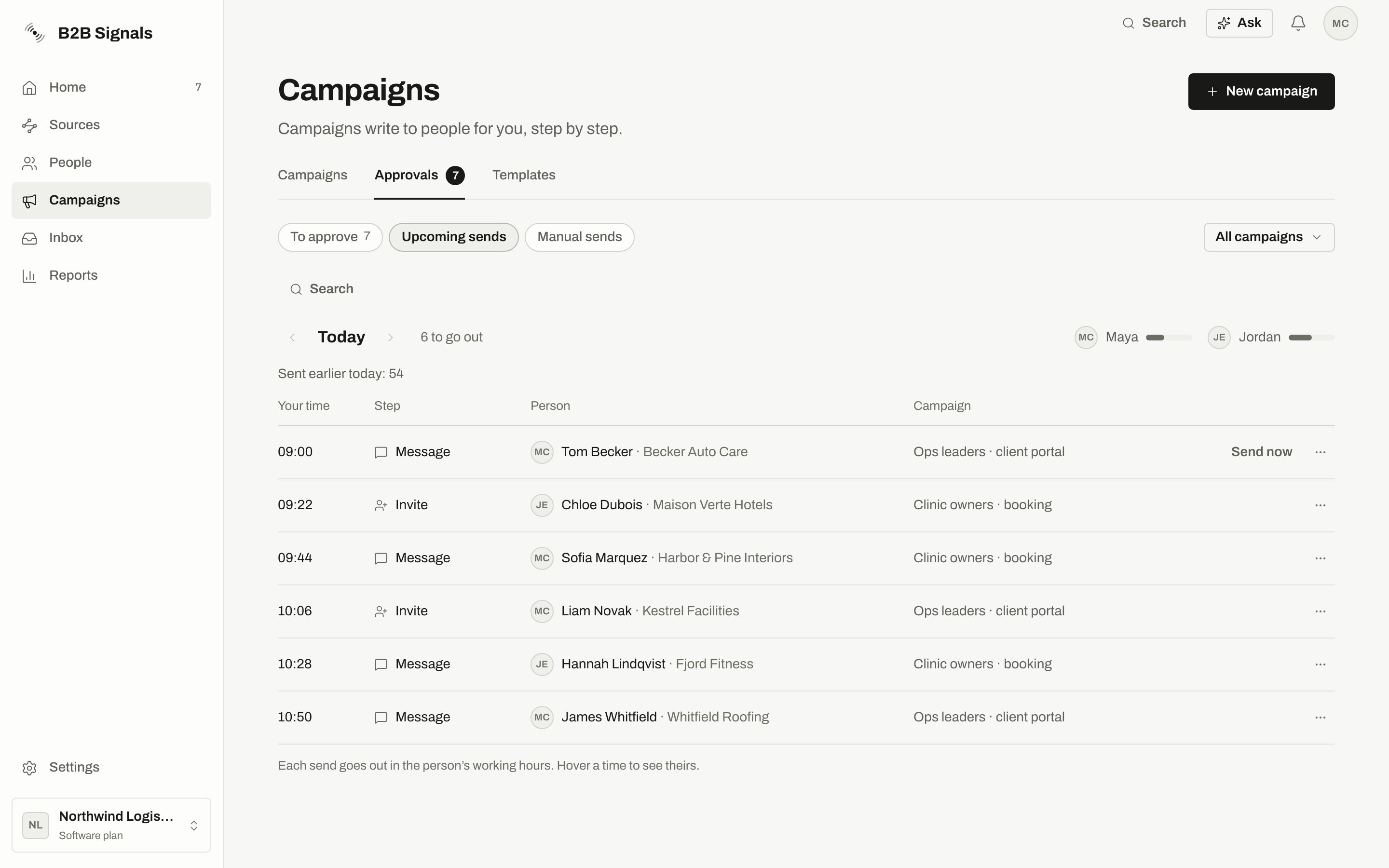
Today's sends in time order. The bars next to each sender show how much of today's allowance is used.
Why a send is waiting
Sends on hold
A sender problem shows as a banner at the top. Nothing is lost, and the sends go out once it’s fixed. Click Reconnect or Resume with the sender’s name. Below the day, On hold groups what can’t go yet:- On hold until their campaign is running: these go out after the campaign is resumed.
- On hold with a sender’s name: these go out when the sender is back.
Move someone up
Send now moves a person to the front of their sender’s line. It works today only, on message steps. It doesn’t skip a rule: the working hours, daily limit, warm-up, spacing, company limit, Do not contact and the blacklist still apply, and a message that needs approval stays unapproved. The answer tells you what to expect: “It goes out in the next minute or two”, or “It still goes out only when the sender’s rules allow”. It can be refused:
The row’s ⋯ menu also has Skip this step and Open their page.
When the page is empty
Related
Senders and limits
The numbers behind these waits.
Safety pauses
When a sender or a campaign stops on its own.
Approvals
What’s waiting for your OK.
Manual sends
What’s waiting for your hand.