Sources bring people in. Radar, our AI, looks for people with a reason to hear from you. Watchlists follow people and companies you choose. You can also add people yourself. Nothing is sent at this step.
2
People holds everyone
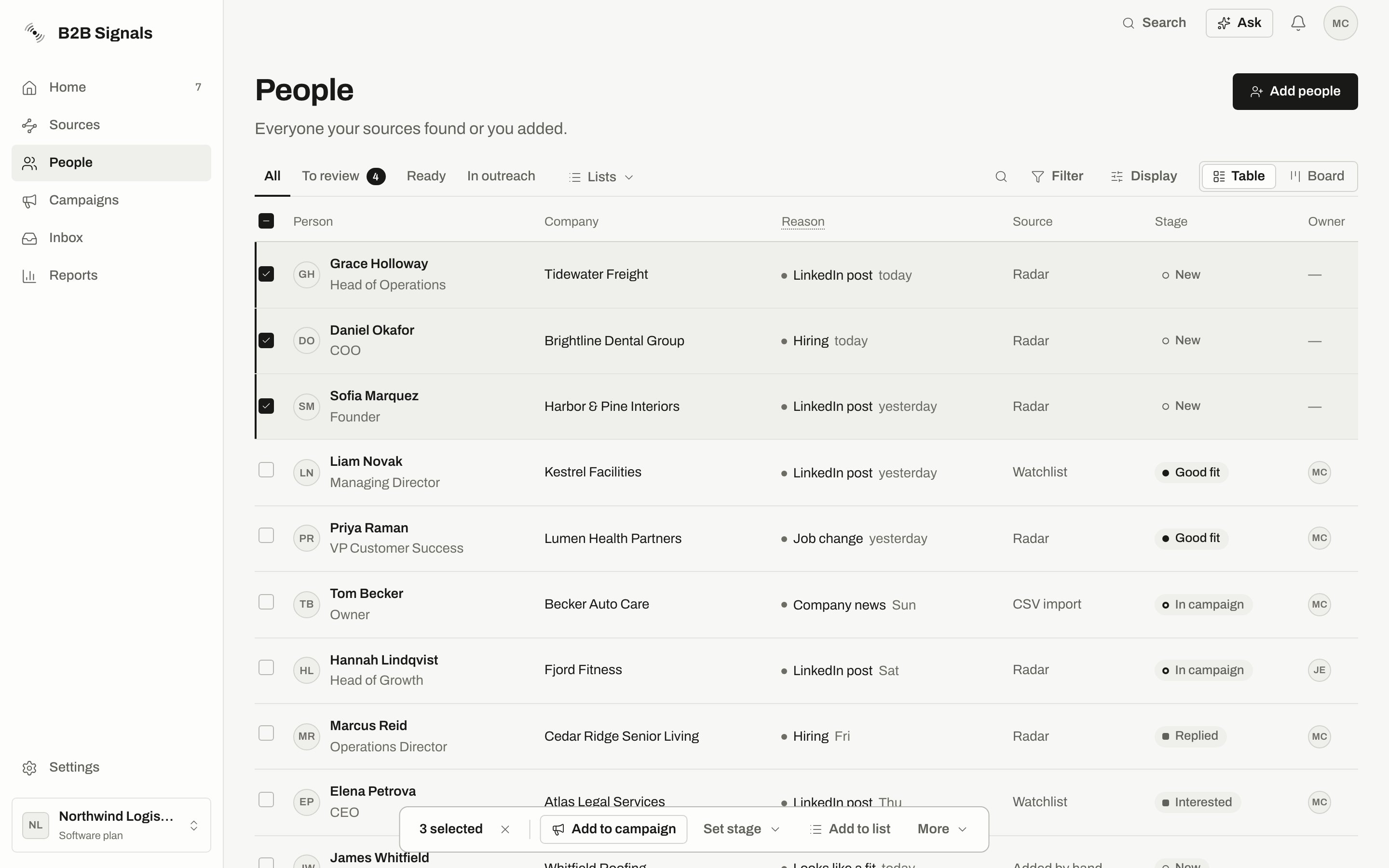
Everyone lands in People, with the reason they came up and a stage that shows where they are with you.
People: the tabs All, To review, Ready and In outreach, with a reason and a stage on every row.
3
You review them
People from a source with review turned on wait in People › To review. You mark each oneGood fit or Not a fit. Radar learns from your answers.
4
Campaigns write to them
A campaign is a set of steps, such as an invite, a message and a follow-up, sent from one of your senders. Each campaign starts a limited number of new people a day.
5
You approve what goes out
Depending on the campaign, messages wait in Approvals for your yes. If a sender has no connected LinkedIn, they wait in Manual sends for you to send by hand.
6
Replies land in your Inbox
Replies come into the Inbox, and the person’s stage moves on its own.
7
Reports show what worked
Reports show replies and results, so you can adjust your brief and your campaigns. Then the loop goes on.
Marking someone Good fit doesn’t put them in a campaign unless a route is set. Without a route, they wait in People › Ready until you add them yourself.
Good fit says you’d like to write to this person. It also teaches Radar to bring more people like them. It never sends a message by itself.When you mark someone Good fit, we check whether an active campaign would have taken them on its own. They join if one of these routes applies:
Route
Example
An active campaign uses a list the person is on
A campaign on the list Radar adds new people to (see Where new people go), with Keep adding people from the lists turned on
Your First campaign from sign-up
Radar sends the people you mark Good fit to it, as long as the campaign is active
An active campaign tied to the Smart Agent that found them
Read the message that appears after you mark someone on their page:
If it ends with “Added to a campaign automatically.”, the person joined a campaign.
If it doesn’t, no route applied. The person is in People › Ready.
To write to someone in Ready, select them, click Add to campaign and choose a campaign. We check everyone first and tell you who would be skipped and why. See Add people to a campaign.
The check before anyone joins: 4 will be added, 2 skipped, with each reason under why?.
While review is on, a person whose stage is still New can’t start a campaign, even if you add them by hand. Mark them Good fit first. This only affects the first message of a campaign.With review off, people can join campaigns without being marked. A campaign can still ask for more through Who joins on their own in its settings, for example Only people I marked Good fit. A person has to pass both the source’s review and the campaign’s rule. Good fit passes both.Joining a campaign doesn’t mean the first message goes out that minute. Everyone waits for their day, based on the campaign’s New people a day and its sending days.
Each campaign has its own approval setting, shown when you launch it: You approve every message, You approve once per person, You approve each person’s first message or Messages send without your approval. Your First campaign from sign-up uses the first one.Safety limits apply on top. A sender has daily limits and sending hours, and a new sender starts slowly. Some problems pause sending on their own.